
Installation and Permissions
BundlesIQ installs through the Shopify App Store using standard OAuth authentication. This page explains what access the app requires and why.
Install BundlesIQ
- Visit the BundlesIQ listing on the Shopify App Store
- Click Add app and confirm installation on your Shopify store
- Review the requested permissions and approve them
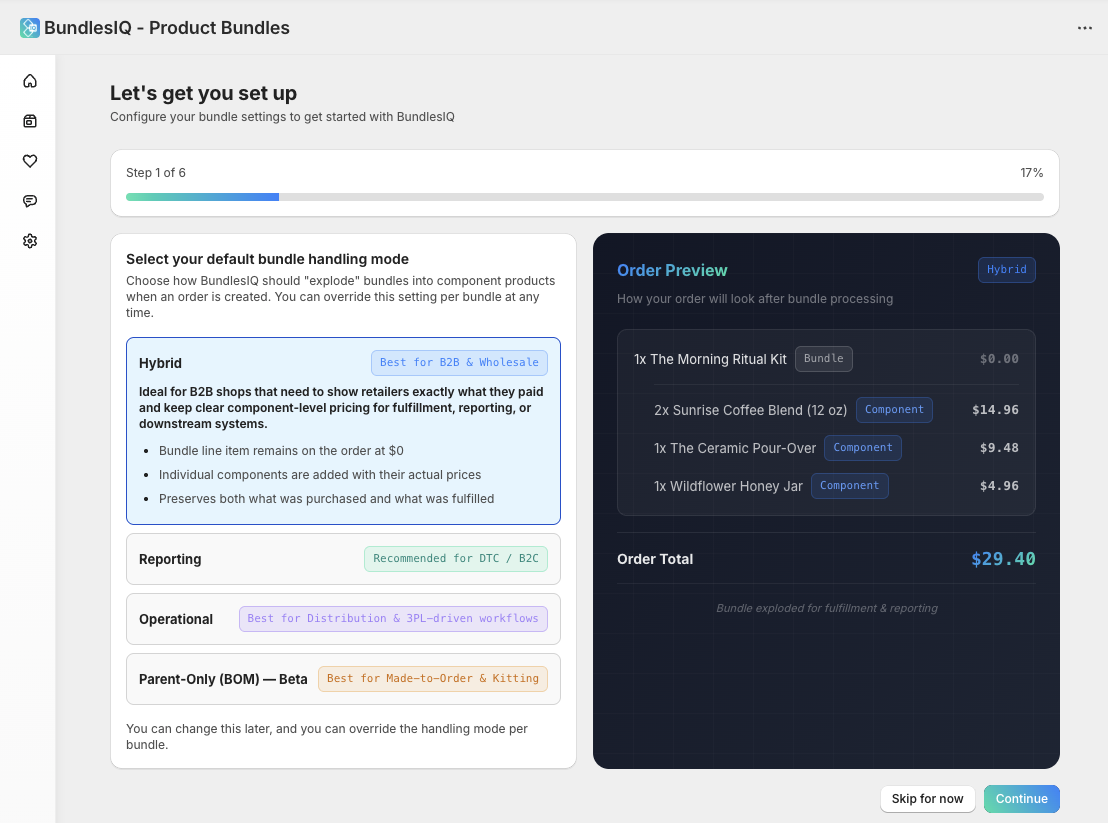
- Complete the onboarding wizard to select your default handling mode and configure basic settings
Required Permissions
BundlesIQ requests the following Shopify access scopes during installation:
Products
| Scope | Why BundlesIQ Needs It |
|---|---|
read_products |
Look up bundle and component product/variant data (prices, SKUs, status, images) for detection, pricing calculation, and the product search modal |
write_products |
Sync derived bundle inventory levels and retail prices back to the ghost SKU product when inventory sync or retail sync is enabled |
Orders
| Scope | Why BundlesIQ Needs It |
|---|---|
read_orders |
Detect bundles on incoming orders, read line items, tags, discount allocations, and metafields for processing and the Health dashboard |
write_orders |
Write processing tags (BIQ_PROCESSING, BIQ_READY, BIQ_ERROR), write transformation audit metafields, and update order note attributes |
write_order_edits |
Transform orders via the Order Edit API — add component line items, apply discounts, and modify or remove the bundle line item |
Draft Orders
| Scope | Why BundlesIQ Needs It |
|---|---|
read_draft_orders |
Detect bundles on draft orders and read line item data for B2B and wholesale processing |
write_draft_orders |
Transform draft orders by replacing line items via the draftOrderUpdate mutation. Also used for reverting draft order transformations |
Inventory
| Scope | Why BundlesIQ Needs It |
|---|---|
read_inventory |
Calculate bundle availability from component stock levels across locations |
write_inventory |
Sync derived bundle inventory back to the ghost SKU variant. In Parent-Only (BOM) mode, also used to reserve, consume, and release component inventory via Shopify's inventory state API |
Fulfillment
| Scope | Why BundlesIQ Needs It |
|---|---|
read_fulfillments |
Read fulfillment order status to determine hold eligibility and check fulfillment state during processing |
write_assigned_fulfillment_orders |
Place and release fulfillment holds on orders assigned to your locations (3PL protection) |
write_merchant_managed_fulfillment_orders |
Place and release fulfillment holds on merchant-managed fulfillment orders (3PL protection) |
write_third_party_fulfillment_orders |
Place and release fulfillment holds on third-party fulfillment orders (3PL protection) |
Discounts, Locations, and Other Data
| Scope | Why BundlesIQ Needs It |
|---|---|
read_discounts |
Read discount code and automatic discount information from orders to factor promo discounts into component price allocation |
read_locations |
Read Shopify location data for multi-location inventory sync and Parent-Only (BOM) location strategy configuration |
read_markets |
Read market and currency configuration for multi-currency pricing support |
read_locales |
Read store locale settings for localized content |
read_metaobjects |
Read metaobject definitions used by the storefront extension for "What's Included" display |
read_returns |
Read return data to track component restocking behavior for bundle orders |
Webhooks Registered
BundlesIQ subscribes to Shopify webhooks to respond to store events in real time. The key webhook groups are described below.
Core Processing
These webhooks drive bundle detection and order transformation:
| Webhook | Purpose |
|---|---|
orders/create |
Detect new orders containing bundle products and begin processing |
orders/updated |
Detect order changes and support reprocessing workflows |
orders/paid |
Trigger processing for payment-gated workflows. Also used by Parent-Only (BOM) mode when reserve timing is set to orders/paid |
orders/cancelled |
Release reserved component inventory (Parent-Only mode) and update processing state |
draft_orders/create |
Detect new draft orders containing bundle products |
draft_orders/update |
Process draft orders when they are created or modified |
draft_orders/delete |
Clean up processing state when a draft order is deleted |
Inventory and Catalog Sync
These webhooks keep bundle availability, pricing, and configuration in sync with your Shopify catalog:
| Webhook | Purpose |
|---|---|
inventory_levels/update |
Recalculate bundle availability when component stock changes at any location |
inventory_levels/connect / disconnect |
Track when inventory is enabled or disabled at a location, affecting bundle availability calculations |
inventory_items/create / update / delete |
Track changes to inventory item settings (e.g., tracking status, cost) for components and ghost SKUs |
products/create / update / delete |
Detect when component or ghost SKU products are created, modified, or removed. Used for retail price sync, status checks, and bundle validation |
collections/create / update / delete |
Track collection changes that may affect bundle product visibility |
Fulfillment and Order Lifecycle
BundlesIQ monitors fulfillment events to manage 3PL protection holds, track order state for the Health dashboard, and handle inventory consumption in Parent-Only (BOM) mode:
| Webhook | Purpose |
|---|---|
orders/fulfilled / orders/partially_fulfilled |
Track fulfillment progress. In Parent-Only mode, triggers consumption of reserved component inventory |
orders/edited |
Detect external edits to orders that were already processed by BundlesIQ |
orders/delete |
Clean up processing state when an order is deleted |
refunds/create |
Detect refunds on bundle orders to update the Health dashboard and, in Parent-Only mode, restock reserved or consumed component inventory |
fulfillment_orders/* |
A set of fulfillment order webhooks (moved, merged, split, hold released, routing complete, and others) used to manage Shopify-native fulfillment holds for 3PL protection |
fulfillments/create / update |
Track fulfillment creation and updates for processing state and inventory lifecycle management |
fulfillment_events/create |
Track fulfillment milestone events (e.g., shipped, delivered) |
Discounts, Markets, and Locations
| Webhook | Purpose |
|---|---|
discounts/create / update / delete |
Track discount changes that may interact with bundle pricing allocation |
markets/create / update / delete |
Track market configuration changes for multi-currency pricing support |
locations/create / update / delete |
Track location changes for multi-location inventory sync and Parent-Only location strategy |
selling_plan_groups/create / update / delete |
Track subscription selling plan changes for compatibility with subscription app orders |
App Lifecycle
BundlesIQ subscribes to app lifecycle and billing webhooks for operational purposes:
| Webhook | Purpose |
|---|---|
app/uninstalled |
Clean up app data, release fulfillment holds, and revoke access when the app is removed |
app_subscriptions/update |
Track billing plan changes and usage updates |
app_subscriptions/approaching_capped_amount |
Trigger notifications when Scale+ overage usage approaches the spending cap |
app/scopes_update |
Detect changes to granted access scopes |
shop/update |
Track store configuration changes (currency, timezone, plan) |
Data Storage
BundlesIQ stores the following data:
- Bundle definitions — Bundle name, status, ghost SKU reference, component list, pricing configuration, and constraints
- Processing logs — Timestamped records of every order transformation, including success/failure status, flags, and pricing details
- Bundle instances — Per-order snapshot of which bundles were detected, how they were transformed, and the resulting line item mapping
- Store settings — Your handling mode preference, processing scope, 3PL protection configuration, and sync settings
All data is stored securely in BundlesIQ's cloud infrastructure. Bundle metadata is also written to Shopify order metafields for auditability.
Firewall and Network Requirements
BundlesIQ operates as a cloud-hosted service. No firewall configuration is required on your end. Webhook delivery uses Shopify's standard webhook infrastructure.